作者: Jerry Lin

  • PHP 源碼掃描實作,使用 SonarQube

    PHP 源碼掃描實作,使用 SonarQube

    PHP 的原始碼弱點掃描實作,這邊使用 SonarQube 的社區版,這邊實作是參考這個連結,使用 MacOS 實現。

    首先先提供相關資源網站:

    SonerQube 官網和下載網址:

    Download | SonarQube
    Get the latest LTS and version of SonarQube the leading product for Code Quality and Security from the official download page.

    SonerQube 的套件 sonarscanner 安裝文件:

    JDK 官網下載:

    JDK 安裝教學:

    MAC中安裝JDK、Maven
    一、安裝JDK 1、開啟JDK官網,選擇對應版本,並選擇maxOS系統,此處以Java 8為例。 …

    下載 SonarQube 社區版解壓縮後,在 command line 中找到執行的指令,像是 MacOS 是在資料夾/bin/macosx-universal-64/ 裡面。進入資料夾中輸入:

    ./sonar.sh console

    即可在瀏覽器 http://localhost:9000/ 中開啟網頁。預設帳號密碼 admin/admin 登入後更換密碼。

    以下重點整理:

    1. 新增專案,選擇語言等操作完成後,會產生一組程式碼,該組程式碼是提供進入要掃描的資料夾根目錄中使用的。
    2. 在掃描之前,系統會提示需要安裝 SonarScanner ,請選擇 MacOS 版本,推薦加入 bash 中方便運作,參考這裡
    3. 需要先安裝 JDK ,無法在 root 環境使用。
    4. 掃描後看結果可能心情會不太好,不過系統提到的都滿有道理的,建議改一下。
  • 你知道可以移動 Mac 上方選單列圖示嗎?

    自己是 Mac 愛用者,目前在用的 MacBook Pro  已經邁入第 N 個年頭了。有時開啟應用程式的選項真的太多了,導致 Mac 上方選單列版面變的超擠,而且選項很容易和選單列圖示衝突變的看不到。

    後來發現除了切換應用程式或是回到桌面,讓選單列全部露出之外,還可以在選單列上,按住 Command 按鍵不放,滑鼠移動到圖示上就可以點擊拖曳改變位置啦!

    可以把越常用的拖曳到越右邊,這樣就比較不容易被應用程式的選項檔到。


  • WordPress 個古老故事 – jQuery 使用

    WordPress 開發時會發現,使用前端的 jQuery 不能用錢字符號($),這是一個稱之為兼容模式的東西,會比較安全,但是也會發現說如果一直打 “jQuery” 這串字打久了真的會很累。整個前端文件也會落落長。

    幾個方法:

    (function($) {
    console.log($('#隨便一個 ID').length);
    })( jQuery );

    或是:

    jQuery(document).ready(function( $ ) {
    	console.log($('#隨便一個 ID').length);
    });
  • 一些常用的工具網站分享

    常用很多工具,每次都要 Google ,雖然關鍵字已經記起來的,不過還是列一個列表比較心安(?

    1. Python 線上測試,這是 2.7 版的,可以自行切換版本。這個網站還有很多程式語言線上測試的工具,可以參考選用。
    2. JSON 解析。很多 JSON 資料需要解析成能看的格式。
      Json Parser Online
      Analyze your JSON string as you type with an online Javascript parser, featuring tree view and syntax highlighting. Processing is done locally: no data send to server.
    3. JSON 編輯器。製作 API 文件需要。
      JSON Editor Online – view, edit and format JSON online
      JSON Editor Online is a web-based tool to view, edit, format, transform, and diff JSON documents.
    4. MD5 產生器。這網站中也有提供許多編碼或是加解密的工具。
      MD5 轉換 – 將字串轉換為MD5 – ez2o Studio
      利用線上將字串轉換為MD5,不需要再另外寫程式處理。

      另外有時會需要有更安全的 MD5 hash ,可以用這個 Chrome 套件:
      MD5 Hasher
      Chrome extension to generate MD5 hashes
    5. 動態指定尺寸產生圖片。這是說明文件,可以透過底下說明文件的 API 取得指定尺寸的圖片,作為測試圖片使用。
      Dynamic image resizing
      Learn how to dynamically resize & adapt images to fit the page layout by changing URL parameters. No image processing server is required.
    6. Jerry 這裡。 這有些 email 測試,QR Code 掃描等工具,是自己做有用到的功能,不定期更新。社交登入以後可以使用網站排程檢查的功能。
    7. Beautify CSS / HTML / JS 。 把壓縮過的 js / html / css 還原。
    8.  JS / CSS 壓縮。因為比較不常用 html 壓縮,所以目前用到這個。
      Minify JS and CSS online, or include the minifier in your project for on-the-fly compression.
      Minify JS and CSS online, or include the minifier in your project for on-the-fly compression.

    以上,有想到用到再補充。


  • PHP 使用 PHP Code 的格式印出陣列

    使用 php 有時需要把程式碼印出來,提供動態的程式範例或是安裝的初始設定用途,雖然說大部分的應用場景只會使用到一次,但是資料量大的時候也是滿麻煩的。

    這邊提供一個範例將 array 印出來並且依照 php 格式作為 php file 儲存起來:

    $data = array('a'=>'b');
    file_put_contents('test.php', '<?php $arr = ' . var_export($data, true) . ';');

    參考:

  • Line 開發自動圖文選單(Rich Menu)的小眉角

    Line 機器人開發中,有一個功能是添加不同的圖文選單。可以依據不同場景、不同用戶客製化內容:

    Using rich menus
    The LINE Developers site is a portal site for developers. It contains documents and tools that will help you use our various developer products. Creating LINE Login and Messaging API applications and …

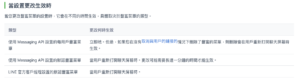
    其中有一個 Set the default rich menu 的功能,他和 Link rich menu to user 會互動的不是很好,如果使用這兩支 API 來作為單一用戶的場景切換,很容易造成用戶需要離開當下對話視窗再重新進來才能生效。不如統一使用 Link rich menu to user  方法處理切換即可。

    參考:

    Using rich menus
    The LINE Developers site is a portal site for developers. It contains documents and tools that will help you use our various developer products. Creating LINE Login and Messaging API applications and …

  • 購物車串接第三方金流 session 會被清空的原因

    原因是出在 SameSite 的設定,請標明 cookie 中的 SameSite 屬性。

    參考:

    FAQ知識庫 | 綠界 ECPay 客服中心
    綠界金流程式串接常見技術問題。

    也請記得強制使用 https 。

    舉個例子:
    Set-Cookie: remote_session=abc123; SameSite=None; Secure

    關於 SameSite 的介紹可參考:

    SameSite | OWASP
    SameSite on the main website for The OWASP Foundation. OWASP is a nonprofit foundation that works to improve the security of software.

  • WordPress 核心架構圖/堆棧圖 相關檔案結構說明鏈結

    最近用 wordpress 處理一些 MVP 的實作,沒想到竟然要對他做技術文件,這邊先筆記一下避免以後有相同需求找不到來源。

    注意來源取自官網,有些可能是過時的資訊。

    Modules

    source: https://codex.wordpress.org/File:WP_27_modules.JPG

    Wordrpess Site Architecture

    Code Reference | Functions, Hooks, Classes Methods

    Reference | WordPress Developer Resources
    Want to know what’s going on inside WordPress? Find out more information about its functions, classes, methods, and hooks.

    Database Description

    Database Description
    Srouce: https://codex.wordpress.org/Database_Description
  • WordPress SSL 錯誤修復

    最近使用 wordpress 外掛,透過 curl 可能會發生錯誤,如果遇到這類型的錯誤:

    SSL certificate problem: certificate has expired
    SSL certificate problem: certificate has expired

    是因為許多網站都在使用全球證書,該證書已於 2021 年 9 月 30 日到期。參考:

    解決方法是使用新的 crt 檔案替代 wordpress 目錄:wp-includes/certificates 底下的 ca-bundle.crt 檔案。
    crt 檔案下載網址:https://github.com/WordPress/WordPress/blob/master/wp-includes/certificates/ca-bundle.crt

    而這個問題預估在 wordpress 5.9 版會修復。

    參考:

    SSL certificate problem: certificate has expired – Smart Slider Documentation
    In this article Check the error Error only displays during update Solution on localhost servers (with WampServer example) A lot of websites are using a global c

  • WordPress 之中藍新金流開啟後, Elementor 外掛有時會打不開的問題處理

    WordPress 之中藍新金流開啟後, Elementor 外掛有時會打不開的問題處理

    WordPress 有很多外掛,在藍新金流啟用時,同時有使用 Elementor 這個 page builder 外掛,在某些編輯視窗中,可能會造成 AJAX “/wp-json/elementor/v1/globals” 路徑中抓不到 wc_get_chosen_shipping_method_ids() 這個 function 的錯誤訊息。

    這邊查了一下資料,不只是藍新金流外掛會這樣,應該 woocommerce 外掛和 page builder 都有可能造成類似的錯誤。紀錄一下避免老了忘記。

    最近又遇到一樣的問題,查看 log 發現是 wc_get_chosen_shipping_method_ids() 裡面的問題:

    2024/01/02 19:30:32 [error] 1870242#1870242: *46728 FastCGI sent in stderr: "PHP message: PHP Fatal error:  Uncaught Error: Call to a member function get() on null in /xxx/xxx/wp-content/plugins/woocommerce/includes/wc-cart-functions.php:394
    Stack trace:
    #0 /xxx/xxx/wp-content/plugins/newebpay/class-newebpay.php(1673): wc_get_chosen_shipping_method_ids()
    
    ...

    查看 woocommerce 的程式碼(參考),並且參考有類似問題的 stackoverflow

    function wc_get_chosen_shipping_method_ids() {
    	$method_ids     = array();
    	$chosen_methods = WC()->session->get( 'chosen_shipping_methods', array() );
    	foreach ( $chosen_methods as $chosen_method ) {
    		$chosen_method = explode( ':', $chosen_method );
    		$method_ids[]  = current( $chosen_method );
    	}
    	return $method_ids;
    }

    判斷應該是 WC()->session 取不到 get 參數,實際上就是這樣沒錯, woocommerce 當下這個沒有判斷 session 為空的狀況。
    可以參考原文,於 class-newebpay.php:1676 附近, wc_get_chosen_shipping_method_ids() 呼叫之前判斷 WC()->session 是否為空。這邊於底下原文中添加新的 code 。

    附上錯誤訊息:

    Fatal error: Uncaught Error: Call to undefined function wc_get_chosen_shipping_method_ids() in /xxx/wp-content/plugins/newebpay/class-newebpay.php:1676 Stack trace: #0 /xxx/wp-includes/class-wp-hook.php(303): newebpay_alter_payment_gateways(Array) ...

    附上發現錯誤的版本資訊,wordpress 核心版本為 5.8.1 , Elementor 版本為 3.4.3:

    /**
     * newebpay Payment Gateway
     * Plugin URI: http://www.newebpay.com/
     * Description: 藍新金流收款/物流 模組
     * Version: 1.0.3
     * Author URI: http://www.newebpay.com/
     * Author: 藍新金流 newebpay
     * Plugin Name:   藍新金流
     * @class       newebpay
     * @extends     WC_Payment_Gateway
     * @version
     * @author  Pya2go Libby
     * @author  Pya2go Chael
     * @author  Spgateway Geoff
     * @author  Spgateway_Pay2go Q //20170217 1.0.1
     * @author  Spgateway_Pay2go jack //20170622 1.0.2
     * @author  Spgateway_Pay2go Stally //20180420 1.0.3 20181018 1.0.4 20181222 newebpay 1.0.0 20190417 1.0.1 20190711 1.0.2 20200326 1.0.3
     */

    目前的解決方法是在 class-newebpay.php:1676 的 newebpay_alter_payment_gateways() 內添加判斷,檢查是否有方法,沒方法就直接跳回不動作。
    另外也在 plugin meta 上修改版本號和描述,避免被直接更新。不過這個外掛也沒上版控,所以屆時可能需要也是手動更新嘍。

    附上修改後資訊:

    <?php
    /**
     * newebpay Payment Gateway
     * Plugin URI: http://www.newebpay.com/
     * Description: 藍新金流收款/物流 模組 修復了 elementor 開啟會有 wc_get_chosen_shipping_method_ids 錯誤的問題 
     * Version: 99.99.99
     * Author URI: http://www.newebpay.com/
     * Author: 藍新金流 newebpay 修改過 By Jerry
     * Plugin Name:   藍新金流
     * @class       newebpay
     * @extends     WC_Payment_Gateway
     * @version
     * @author  Pya2go Libby
     * @author  Pya2go Chael
     * @author  Spgateway Geoff
     * @author  Spgateway_Pay2go Q //20170217 1.0.1
     * @author  Spgateway_Pay2go jack //20170622 1.0.2
     * @author  Spgateway_Pay2go Stally //20180420 1.0.3 20181018 1.0.4 20181222 newebpay 1.0.0 20190417 1.0.1 20190711 1.0.2 20200326 1.0.3
     */
    add_action('plugins_loaded', 'newebpay_gateway_init', 0);
    
    function newebpay_gateway_init() {
        if (!class_exists('WC_Payment_Gateway')) {
            return;
        }
    
        class WC_newebpay extends WC_Payment_Gateway {
    
     ...
    
        // 選擇藍新金流超商取貨後 payment只輸出藍新金流
        function newebpay_alter_payment_gateways($list) {
            if(isset($_GET['pay_for_order']) && isset($_GET['key'])) {
                $order_id = wc_get_order_id_by_order_key($_GET['key']);
                $order = wc_get_order($order_id);
                if($order->has_shipping_method('newebpay_cvscom')) {
                    $list = array('WC_newebpay');
                }
            } elseif(!is_admin()) { //後台無wc_get_chosen_shipping_method_ids function
                if ( !function_exists( 'wc_get_chosen_shipping_method_ids' ) ) { 
                    return $list;
                } 
    
                // 2024-01-02 更新判斷
                $session = WC()->session;
                if($session){
                    $chosen_shipping = wc_get_chosen_shipping_method_ids();
                    //判斷購物車內商品是否全為虛擬商品 全為虛擬商品時會無法選擇物流方式 導致session的chosen_shipping會維持上次所選
                    $virtual_count = 0;
                    $cart_items = WC()->cart->get_cart();
                    foreach ($cart_items as $key => $cart_item) {
                        $virtual_count += ($cart_item['data']->is_virtual()) ? 1 : 0;
                    }
                    if (@in_array('newebpay_cvscom', $chosen_shipping) && $virtual_count < count($cart_items)) {
                        $list = array('WC_newebpay');
                    }
                } // end 判斷
            }
    
            return $list;
        }
        add_filter('woocommerce_payment_gateways', 'newebpay_alter_payment_gateways', 100);
    
    ...