當我們談論客製化 AI 助理時,大多數人的第一反應可能是「調整 Prompt」。然而,這種方法往往感覺像是隔靴搔癢,難以建立可重複、結構化的複雜工作流程。現在,一個名為「Agent Skills」(代理人技能)的強大標準正在改變這一切。它不僅提供了一種更結構化的方式來擴展 AI 的能力,更令人驚訝的是,它正迅速成為一個跨越不同公司和產品的通用語言。
1. 驚喜的跨平台開放標準:AI 界的「通用語言」
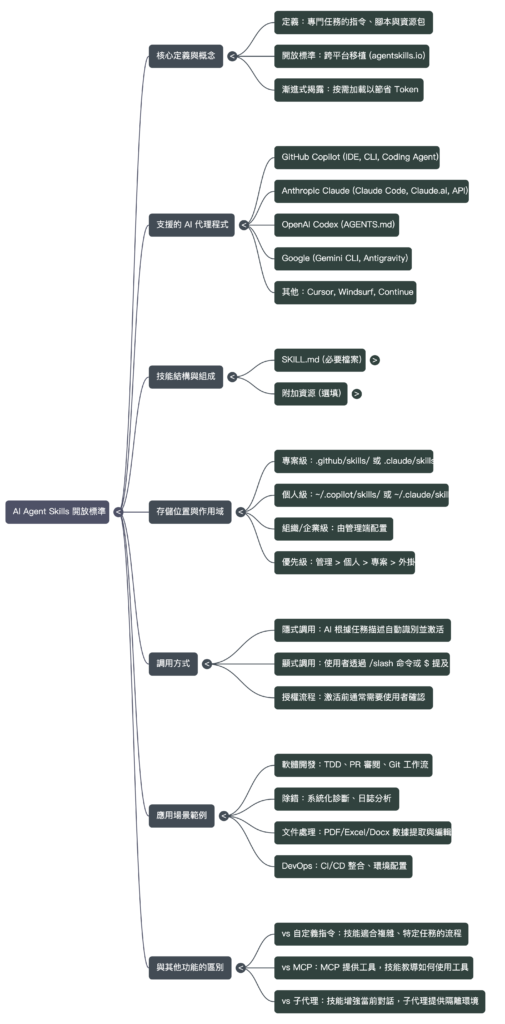
最令人意外的發現是:Agent Skills 並非某家公司的專有技術,而是一個開放標準,正被多家相互競爭的 AI 開發工具所採納。有趣的是,「Skills」這個名稱最初由 Anthropic 的 Claude 推廣,但其核心理念——一個可移植、結構化的能力封裝——正被各家以不同名稱採納,例如 Google Gemini 的「Extensions」或 OpenAI Codex 的 AGENTS.md 文件,但都遵循著相同的開放標準原則。這在當前 AI 領域各自為政的環境中,顯得尤為難得且影響深遠。
支持此標準的 AI 代理和工具橫跨了業界的主要參與者,包括:
GitHub Copilot (根據官方文件,支援其編碼代理、CLI 及 VS Code Insiders)
Anthropic 的 Claude (包含 Claude Code、Claude.ai 和 API)
Google 的 Gemini CLI (目前為實驗性功能)
Cursor
OpenAI Codex (作為早期支援該模式的工具之一)
這個開放標準的官方文檔位於 agentskills.io。更重要的是,一個蓬勃發展的跨平台社群生態系正在形成。例如,Hugging Face 的 skills 程式碼倉庫就明確指出其技能可與主流編碼代理工具互通,而 GitHub 自己的 github/awesome-copilot 專案也收錄了大量社群創建的技能。這種跨公司的標準化意味著開發者可以「一次編寫,到處使用」,為特定任務封裝的專業知識和工作流程將具備前所未有的可移植性。
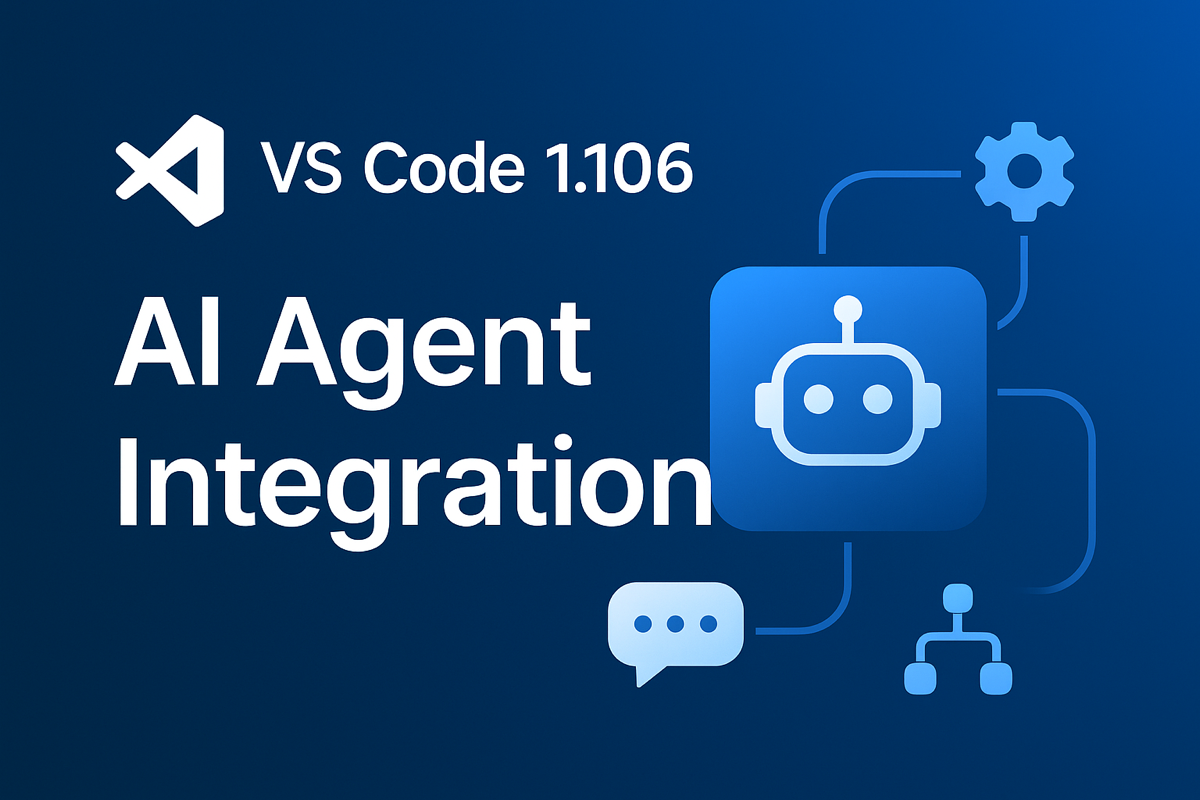
本文件旨在為內部開發與產品團隊提供 Visual Studio Code 1.106 版本的深度技術解析。本次更新標誌著兩項重大的架構性演進:一是透過全新的「Agent HQ」實現 AI Agent 的深度整合與統一管理,這項變革提供了一個 AI 互動的統一控制平面,解決了以往 Agent 會話分散且難以追蹤的挑戰;二是將核心的「行內建議」功能開源,並整合至統一的 Copilot 擴充套件中,這是一項對平台開放性具有深遠影響的戰略舉措。本摘要將聚焦於這些變更的技術實現細節、對現有開發工作流程的影響,以及平台 API 的重要更新,以利團隊進行後續的技術評估與產品規劃。
——————————————————————————–
1. 核心架構演進:AI Agent 整合與管理 (Agent HQ)
VS Code 1.106 版本在 AI 整合方面最核心的架構性變革,是引入了一個統一的 Agent 管理中心——Agent HQ。本章節將深入分析 Agent HQ 的核心組件、新引入的 Agent 工作流程,以及跨環境整合的技術實現,解析這些變革如何為開發者提供更集中、更強大的 AI 協作能力。
1.1 Agent HQ 核心功能解析:Agent Sessions view
「Agent Sessions view」是管理所有 AI 互動的核心介面,其設計目標是提供一個單一入口,以監控和審查所有進行中的 Agent 會話。
Go to Line 功能增強:「Go to Line」(⌃G / Ctrl+G) 命令的功能得到了顯著擴展。現在,它支援使用 :: 語法直接導航至檔案中的特定字元位置(例如 ::599 可跳轉至第 599 個字元,::-100 可跳轉至距檔案結尾 100 個字元處),這對於處理來自工具鏈的、基於字元偏移量的錯誤報告非常有用。同時,該功能對於超出範圍的行號與欄號處理也更加友好,簡化了跳轉至檔案或行首/尾的操作。
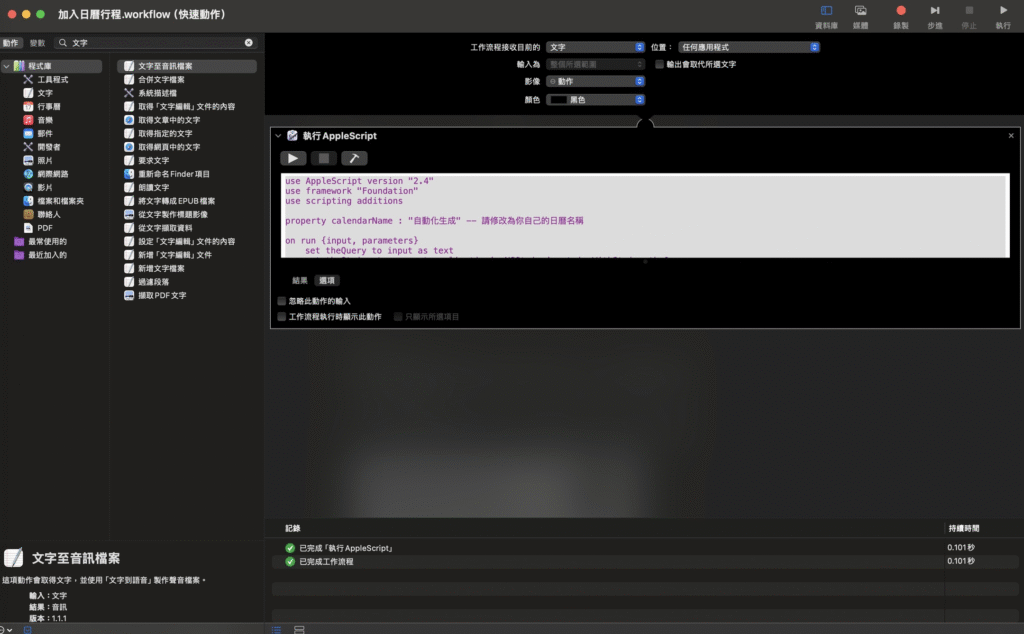
use AppleScript version "2.4"
use framework "Foundation"
use scripting additions

property calendarName : "自動化生成" -- 請添加 / 修改為你自己的日曆名稱

on run {input, parameters}
	set theQuery to input as text
	set theString to current application's NSString's stringWithString:theQuery

	-- 偵測時間
	set dateDetector to current application's NSDataDetector's dataDetectorWithTypes:(current application's NSTextCheckingTypeDate) |error|:(missing value)
	set theRange to current application's NSMakeRange(0, theString's |length|())
	set dateMatch to dateDetector's firstMatchInString:theString options:0 range:theRange

	if dateMatch ≠ missing value then
		set startDate to dateMatch's |date|() as date
		if startDate < (current date) then set startDate to startDate + 1 * days
		set endDate to startDate + (1 * hours)

		set dateRange to dateMatch's range()
		set matchString to theString's substringWithRange:dateRange
		set cleanedTitleNSString to theString's stringByReplacingCharactersInRange:dateRange withString:""
		set eventTitle to cleanedTitleNSString as string
	else
		set validInput to false
		repeat until validInput is true
			display dialog "⚠️ 未能自動偵測時間,請手動輸入(格式:2025/06/10 15:30):" default answer ""
			set userInput to text returned of result
			try
				set startDate to date userInput
				set validInput to true
			on error
				display dialog "❌ 格式錯誤,請重新輸入(範例:2025/06/10 15:30)" buttons {"OK"} default button 1
			end try
		end repeat
		set endDate to startDate + (1 * hours)
		set eventTitle to theQuery
	end if

	-- 偵測地點
	set addressDetector to current application's NSDataDetector's dataDetectorWithTypes:(current application's NSTextCheckingTypeAddress) |error|:(missing value)
	set addressMatch to addressDetector's firstMatchInString:theString options:0 range:theRange

	if addressMatch ≠ missing value then
		set addressDict to addressMatch's addressComponents()
		set locationString to (addressDict's objectForKey:"Name") as string
		if locationString is missing value or locationString is "" then
			set locationString to (theString's substringWithRange:(addressMatch's range())) as string
		end if
	else
		display dialog "未偵測到地點,請手動輸入地點(可留空):" default answer ""
		set locationString to text returned of result
	end if

	-- 請使用者輸入附註
	display dialog "請輸入附註內容(可留空):" default answer ""
	set notesContent to text returned of result

	-- 建立事件
	tell application "Calendar"
		activate
		set theCalendar to first calendar whose name is calendarName
		set newEvent to make new event at end of events of theCalendar with properties {summary:eventTitle, start date:startDate, end date:endDate, location:locationString, description:notesContent}

		-- 加入提醒
		tell newEvent
			make new display alarm at end with properties {trigger interval:-60} -- 1 小時前
			make new display alarm at end with properties {trigger interval:-30} -- 30 分鐘前

			-- 若活動超過一天後,加入 1 天前提醒
			set nowDate to current date
			if (startDate - nowDate) > (1 * days) then
				make new display alarm at end with properties {trigger interval:-1440}
			end if
		end tell
	end tell
end run