分類: 筆記x備忘

  • WordPress 核心架構圖/堆棧圖 相關檔案結構說明鏈結

    最近用 wordpress 處理一些 MVP 的實作,沒想到竟然要對他做技術文件,這邊先筆記一下避免以後有相同需求找不到來源。

    注意來源取自官網,有些可能是過時的資訊。

    Modules

    source: https://codex.wordpress.org/File:WP_27_modules.JPG

    Wordrpess Site Architecture

    Code Reference | Functions, Hooks, Classes Methods

    Reference | WordPress Developer Resources
    Want to know what’s going on inside WordPress? Find out more information about its functions, classes, methods, and hooks.

    Database Description

    Database Description
    Srouce: https://codex.wordpress.org/Database_Description
  • WordPress SSL 錯誤修復

    最近使用 wordpress 外掛,透過 curl 可能會發生錯誤,如果遇到這類型的錯誤:

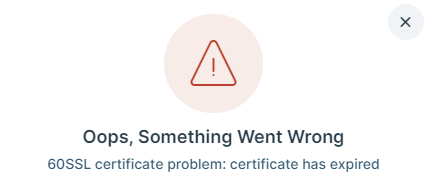
    SSL certificate problem: certificate has expired
    SSL certificate problem: certificate has expired

    是因為許多網站都在使用全球證書,該證書已於 2021 年 9 月 30 日到期。參考:

    解決方法是使用新的 crt 檔案替代 wordpress 目錄:wp-includes/certificates 底下的 ca-bundle.crt 檔案。
    crt 檔案下載網址:https://github.com/WordPress/WordPress/blob/master/wp-includes/certificates/ca-bundle.crt

    而這個問題預估在 wordpress 5.9 版會修復。

    參考:

    SSL certificate problem: certificate has expired – Smart Slider Documentation
    In this article Check the error Error only displays during update Solution on localhost servers (with WampServer example) A lot of websites are using a global c

  • WordPress 之中藍新金流開啟後, Elementor 外掛有時會打不開的問題處理

    WordPress 之中藍新金流開啟後, Elementor 外掛有時會打不開的問題處理

    WordPress 有很多外掛,在藍新金流啟用時,同時有使用 Elementor 這個 page builder 外掛,在某些編輯視窗中,可能會造成 AJAX “/wp-json/elementor/v1/globals” 路徑中抓不到 wc_get_chosen_shipping_method_ids() 這個 function 的錯誤訊息。

    這邊查了一下資料,不只是藍新金流外掛會這樣,應該 woocommerce 外掛和 page builder 都有可能造成類似的錯誤。紀錄一下避免老了忘記。

    最近又遇到一樣的問題,查看 log 發現是 wc_get_chosen_shipping_method_ids() 裡面的問題:

    2024/01/02 19:30:32 [error] 1870242#1870242: *46728 FastCGI sent in stderr: "PHP message: PHP Fatal error:  Uncaught Error: Call to a member function get() on null in /xxx/xxx/wp-content/plugins/woocommerce/includes/wc-cart-functions.php:394
    Stack trace:
    #0 /xxx/xxx/wp-content/plugins/newebpay/class-newebpay.php(1673): wc_get_chosen_shipping_method_ids()
    
    ...

    查看 woocommerce 的程式碼(參考),並且參考有類似問題的 stackoverflow

    function wc_get_chosen_shipping_method_ids() {
    	$method_ids     = array();
    	$chosen_methods = WC()->session->get( 'chosen_shipping_methods', array() );
    	foreach ( $chosen_methods as $chosen_method ) {
    		$chosen_method = explode( ':', $chosen_method );
    		$method_ids[]  = current( $chosen_method );
    	}
    	return $method_ids;
    }

    判斷應該是 WC()->session 取不到 get 參數,實際上就是這樣沒錯, woocommerce 當下這個沒有判斷 session 為空的狀況。
    可以參考原文,於 class-newebpay.php:1676 附近, wc_get_chosen_shipping_method_ids() 呼叫之前判斷 WC()->session 是否為空。這邊於底下原文中添加新的 code 。

    附上錯誤訊息:

    Fatal error: Uncaught Error: Call to undefined function wc_get_chosen_shipping_method_ids() in /xxx/wp-content/plugins/newebpay/class-newebpay.php:1676 Stack trace: #0 /xxx/wp-includes/class-wp-hook.php(303): newebpay_alter_payment_gateways(Array) ...

    附上發現錯誤的版本資訊,wordpress 核心版本為 5.8.1 , Elementor 版本為 3.4.3:

    /**
     * newebpay Payment Gateway
     * Plugin URI: http://www.newebpay.com/
     * Description: 藍新金流收款/物流 模組
     * Version: 1.0.3
     * Author URI: http://www.newebpay.com/
     * Author: 藍新金流 newebpay
     * Plugin Name:   藍新金流
     * @class       newebpay
     * @extends     WC_Payment_Gateway
     * @version
     * @author  Pya2go Libby
     * @author  Pya2go Chael
     * @author  Spgateway Geoff
     * @author  Spgateway_Pay2go Q //20170217 1.0.1
     * @author  Spgateway_Pay2go jack //20170622 1.0.2
     * @author  Spgateway_Pay2go Stally //20180420 1.0.3 20181018 1.0.4 20181222 newebpay 1.0.0 20190417 1.0.1 20190711 1.0.2 20200326 1.0.3
     */

    目前的解決方法是在 class-newebpay.php:1676 的 newebpay_alter_payment_gateways() 內添加判斷,檢查是否有方法,沒方法就直接跳回不動作。
    另外也在 plugin meta 上修改版本號和描述,避免被直接更新。不過這個外掛也沒上版控,所以屆時可能需要也是手動更新嘍。

    附上修改後資訊:

    <?php
    /**
     * newebpay Payment Gateway
     * Plugin URI: http://www.newebpay.com/
     * Description: 藍新金流收款/物流 模組 修復了 elementor 開啟會有 wc_get_chosen_shipping_method_ids 錯誤的問題 
     * Version: 99.99.99
     * Author URI: http://www.newebpay.com/
     * Author: 藍新金流 newebpay 修改過 By Jerry
     * Plugin Name:   藍新金流
     * @class       newebpay
     * @extends     WC_Payment_Gateway
     * @version
     * @author  Pya2go Libby
     * @author  Pya2go Chael
     * @author  Spgateway Geoff
     * @author  Spgateway_Pay2go Q //20170217 1.0.1
     * @author  Spgateway_Pay2go jack //20170622 1.0.2
     * @author  Spgateway_Pay2go Stally //20180420 1.0.3 20181018 1.0.4 20181222 newebpay 1.0.0 20190417 1.0.1 20190711 1.0.2 20200326 1.0.3
     */
    add_action('plugins_loaded', 'newebpay_gateway_init', 0);
    
    function newebpay_gateway_init() {
        if (!class_exists('WC_Payment_Gateway')) {
            return;
        }
    
        class WC_newebpay extends WC_Payment_Gateway {
    
     ...
    
        // 選擇藍新金流超商取貨後 payment只輸出藍新金流
        function newebpay_alter_payment_gateways($list) {
            if(isset($_GET['pay_for_order']) && isset($_GET['key'])) {
                $order_id = wc_get_order_id_by_order_key($_GET['key']);
                $order = wc_get_order($order_id);
                if($order->has_shipping_method('newebpay_cvscom')) {
                    $list = array('WC_newebpay');
                }
            } elseif(!is_admin()) { //後台無wc_get_chosen_shipping_method_ids function
                if ( !function_exists( 'wc_get_chosen_shipping_method_ids' ) ) { 
                    return $list;
                } 
    
                // 2024-01-02 更新判斷
                $session = WC()->session;
                if($session){
                    $chosen_shipping = wc_get_chosen_shipping_method_ids();
                    //判斷購物車內商品是否全為虛擬商品 全為虛擬商品時會無法選擇物流方式 導致session的chosen_shipping會維持上次所選
                    $virtual_count = 0;
                    $cart_items = WC()->cart->get_cart();
                    foreach ($cart_items as $key => $cart_item) {
                        $virtual_count += ($cart_item['data']->is_virtual()) ? 1 : 0;
                    }
                    if (@in_array('newebpay_cvscom', $chosen_shipping) && $virtual_count < count($cart_items)) {
                        $list = array('WC_newebpay');
                    }
                } // end 判斷
            }
    
            return $list;
        }
        add_filter('woocommerce_payment_gateways', 'newebpay_alter_payment_gateways', 100);
    
    ...
  • Linux SSH 斷線後保持 session 的工具 – Screen

    紀錄一下之前用很久的一個 linux 套件,主要用途是作爲讓 Server 在再斷線後,依然可以跑池長時間非背景運作。

    安裝方法,權限問題請自行加上 sudo:

    # ubuntu \ debian
    apt-get install screen
    
    # centos
    yum install screen

    一些基本的操作:

    # 建立一個新的 screen 
    screen -U -S SCREEN_NAME
    
    # 進入已開啟的 screen
    screen -drU SCREEN_NAME
    
    # 列出所有 screen
    screen -ls

    至於進入 screen 內的操作,請參考:

    大概可以記住:所有指令都是 ctrl + a 開始。

    • c 是關閉一個建立一個新視窗。另外要離開當前視窗,就和一般 ssh 一樣輸入 exit 就行了,會殺掉當前視窗的 session。
    • d 是離開當前的 screen (keep session)
    • A 大寫的 a 可以重新命名當前的視窗,這很好用

    以前同事有分享一個 screenrc 設定檔案,不錯用。請自行取代 /etc/screenrc 檔案:

    startup_message off
    defencoding utf8
    encoding utf8 utf8
    #caption always "%{= wk} %{= KY} [%n]%t @ %H %{-} %= %{= KR} %l %{-} | %{= KG} %Y-%m-%d %{-} "
    #hardstatus alwayslastline " %-Lw%{= Bw}%n%f %t%{-}%+Lw %=| %0c:%s "
    #bindkey ^[z prev
    #bindkey ^[x next
    termcapinfo xterm*|rxvt* 'ti@:te@'
    termcapinfo xterm ti@:te@
    vbell off
    # C + left : prev
    # C + right : next
    bindkey "^[[1;5C" next
    bindkey "^[O5C" next
    bindkey "^[[C" next
    bindkey "^[[1;5D" prev
    bindkey "^[O5D" prev
    bindkey "^[[D" prev
    
    
    # C-a b : encoding big5
    # C-a u : encoding utf8
    bind b encoding big5 utf8
    bind u encoding utf8 utf8
    
    
    # C-b $num : move current window to number $num
    bind -c move 0 number 0
    bind -c move 1 number 1
    bind -c move 2 number 2
    bind -c move 3 number 3
    bind -c move 4 number 4
    bind -c move 5 number 5
    bind -c move 6 number 6
    bind -c move 7 number 7
    bind -c move 8 number 8
    bind -c move 9 number 9
    bindkey "^b" command -c move
    
    
    # F12 : fast kill
    #bindkey "^[[24~" kill
    
    
    #termcapinfo xterm 'hs:ts=\E]0;:fs=\007:ds=\E]0;bash\007'
    #caption always "%{= bk} %{= wk} %-Lw%{by}%n+%f %t%{wk}%{wk}%+Lw %=%{kw}%{= R}%{-}"
    
    
    shelltitle '$ |csh'
    
    
    defhstatus "\005t"
    #hardstatus on
    #caption always "%{= wk} %{= KY} [%n]%t @ %H %{-} %= %{= KR} %l %{-} | %{= KG} %Y-%m-%d %{-} "
    #hardstatus alwayslastline " %-Lw%{= Bw}%n%f %t%{-}%+Lw %=| %0c:%s "
    
    
    #buttom status bar
    caption always "%{= .G} %-w%<%{=ub .y}[%n %t]%{= .G}%+w "
    hardstatus alwaysignore
    #hardstatus alwayslastline "%{= .K} [%l]%<%=%{= .W}@%H %=%{= .y} %Y/%m/%d%{= .m} %C %A"
    
    
    #shelltitle '$|csh'
    #caption always "%{bw}%M/%d %c %{wb} %-w%{c}%n %t%{w}%+w%{k}"
    
    
    shell -$SHELL
  • 排程檢查服務是否正常

    好久以前遇到一些伺服器鬼故事,所以參考網路上的資料,弄了一個排程檢查系統服務的機制,配合上 crontab 可以使用。

    原則上,這個做法和把程式 try / catch 包起來一樣,掩耳盜鈴的行徑。在沒有安全疑慮的狀況下,建議配合 log 確認系統紀錄,這樣可以保持穩定又可以找到系統問題,不失為一個權宜之計。

    使用的環境是 CentOS7 / Linode VPS ,從指令上來看應該 debian 系列的也可以用才對。

    操作上只要把 service 的變數替換為對應的服務名稱即可,以下是 mysql 檢查重啟的 code.

    #!/bin/bash
    
    PATH=/usr/sbin:/usr/bin:/sbin:/bin
    
    service=mysql
    if [[ ! "$(/usr/sbin/service $service status)" =~ "running" ]]
    then
        echo "`date "+%Y-%m-%d %H:%M:%S"` | [logadm -on@`date "+%Y%m%d%H%M%S"`] "
        echo "$service is stop!!"
        /usr/sbin/service $service start
    else
        echo "`date "+%Y-%m-%d %H:%M:%S"` | [logadm -on@`date "+%Y%m%d%H%M%S"`] "
        echo "$service is running"
    fi

    同場加映,今天寫這篇時,網路上再找了一下,找到一些比較進階的檢查 code:

  • 一些關於 iMessage 的注意事項

    iMessage 是 Apple 提供有別於 SMS ,但是又放在同一個 APP 中的通訊管道,使用 Apple ID 作為帳號(廢話),內建在 Mac 和 iOS 系統中,非常方便。但近年來 Apple 積極的防治 iMessage 被當做廣告群發的通道,也導致很多人被阻擋、甚至被停止了 iMessage 的使用權限。這裡分享一些關於 iMessage 的注意事項:

    導致 iMessage 帳號被封鎖的原因

    如果 iMessage 帳號被封鎖了應該怎麼辦?

    If you can't sign in to your iMessage account or FaceTime on your Mac
    If you can't sign in to your iMessage account or FaceTime, one of these solutions might help.

  • iOS 權限提示(Protected Resources)

    在 iOS 的二進制檔案上傳之後,有時會有關於 Missing Purpose String in Info.plist  的錯誤,參考這個鏈結會發現需要在 info.plist 中添加說明的字串,這裡列表一份,以後可以直接使用。

    <key>NSSpeechRecognitionUsageDescription</key>
    <string>App需要您的同意,才能訪問語音識別</string>
    <key>NSAppleMusicUsageDescription</key>
    <string>App需要您的同意,才能訪問媒體資料庫</string>
    <key>NSBluetoothPeripheralUsageDescription</key>
    <string>App需要您的同意,才能訪問藍牙</string>
    <key>NSCalendarsUsageDescription</key>
    <string>App需要您的同意,才能訪問日曆</string>
    <key>NSCameraUsageDescription</key>
    <string>App需要您的同意,才能訪問相冊</string>
    <key>NSContactsUsageDescription</key>
    <string>App需要您的同意,才能訪問通信錄</string>
    <key>NSHealthShareUsageDescription</key>
    <string>App需要您的同意,才能訪問健康分享</string>
    <key>NSHealthUpdateUsageDescription</key>
    <string>App需要您的同意,才能訪問健康更新</string>
    <key>NSLocationAlwaysUsageDescription</key>
    <string>App需要您的同意,才能始終訪問位置</string>
    <key>NSLocationUsageDescription</key>
    <string>App需要您的同意,才能訪問位置</string>
    <key>NSLocationWhenInUseUsageDescription</key>
    <string>App需要您的同意,才能在使用期間訪問位置</string>
    <key>NSMicrophoneUsageDescription</key>
    <string>App需要您的同意,才能訪問麥克風</string>
    <key>NSMotionUsageDescription</key>
    <string>App需要您的同意,才能訪問運動與健身</string>
    <key>NSPhotoLibraryUsageDescription</key>
    <string>App需要您的同意,才能訪問相機</string>
    <key>NSRemindersUsageDescription</key>
    <string>App需要您的同意,才能訪問提醒事項</string>
  • Flutter 開發環境設定(影片)

    筆記一下,避免以後換新電腦都忘記這種三百年才會設定一次的開發環境。

  • iOS APP 上架注意事項

    筆記一下,有點久沒寫 app 了。最近在用 flutter 套版實作 iOS 和 Android 工具 app , Android 上架沒意外介面大改版,不過還算難不倒我,遇到的問題比較多是 flutter 簽名的問題,寫好 shell 用 command line 執行還算簡單,但是 iOS 上架就麻煩了,真心懷疑 iOS 和 Facebook 的人工審核是包給同一家公司做的……。

    這編列點一下,也把自己的經驗整理起來,希望可以記起來不要給踩兩次雷了:

    1. 關鍵字欄位可以為空,如果不為空,要注意描述、標題、子標題內不可以和關鍵字重複
    2. 權限要求要記得附上說明,會顯示在要求權限時的 alert 副標題,可以參考這個鏈結
    3. 如果應用程式內容被判斷為 “未經過濾的互聯網訪問”,要注意年齡要改成 17+
    4. 支援網址可以放自己的個人網站、記得要做隱私權網址,推薦可以弄一個靜態網站起來,各種語系各種內容這樣。
    5. 用 flutter 開模擬器截圖的話,會有 debug banner,包含 debug 示意的截圖是不被允許的,參考這個鏈結可以解決。
    6. 上傳檔案、送審都會有 email 通知,如果遇到鬼打牆的狀況,像是上傳了一直沒產生二進制檔案選擇,記得收信看一下有沒有提示錯誤。

    革命尚未成功,還會持續更新,請同志繼續努力。

    真的太久沒弄上架,目前還在和審核人員戰鬥中,希望能夠順利上架啊。稍微抱怨一下,不管是 fb 還是 iOS 的 app 審核也都滿討厭的,送審一次問題就丟一個回來,然後光是上架頁面表單填寫的問題就來來回回兩三次了,為什麼不要ㄧ次送審把有遇到的問題丟回來勒,難怪有專門幫人代操上架的工作,這也算是造就一個產業鍊吧。

  • Flutter 建立 iOS 專案遇到 Missing Purpose String in Info.plist 問題

    使用 Flutter 建立 iOS release 專案時,如果上傳失敗會得到一封檢測錯誤的信件,其中有一個錯誤是 Missing Purpose String in Info.plist ,裡面會有

    Your app’s code references one or more APIs that access sensitive user data. The app’s Info.plist file should contain a NSContactsUsageDescription key with a user-facing purpose string explaining clearly and completely why your app needs the data. Starting Spring 2019, all apps submitted to the App Store that access user data are required to include a purpose string. If you’re using external libraries or SDKs, they may reference APIs ….

    你會在你註冊的信箱中收到錯誤的信件

    關鍵字是 NSContactsUsageDescription ,表示缺乏要求權限的文字訊息。而在 info.plist 添加要求資訊以後還是會有錯,才發現是因為使用 permission_handler 這個 dart 套件,他需要一些額外設定。

    先放一下 Flutter 的 iOS 上架流程:

    发布的IOS版APP – Flutter中文网
    本文介绍了如何构建Flutter的IOS发布版,并将其发布到App Store或TestFlight。

    參考這兩個鏈結:

    iOS macro not working with new Flutter 1.20.0 Podfile · Issue #358 · …
    ? Bug Report After upgrading to Flutter 1.20.0 beta a new Podfile needs to be generated (flutter/flutter#45197). Afterwards I added the configuration to the Podfile but it is not taking effect. I r…

    主要就是要把不需要的權限給關掉才行,如果有用這個套件的話要特別注意。
    注意 Profile 更新過後,要把 Profile.lock 刪除再重新 pod install 一次。

    Update 權限參考: